Community


Radia - General Discussions

1323 abonnés
 
Avatar
Ishant Walia

agent not deploying on desktops

Hi Experts,

I have servers and desktops in my environment.

the agent is not deploying to desktops from Radia console, just the management folder is creating with RCA management service.

it getting stuck to attached screenshot.

Please check.
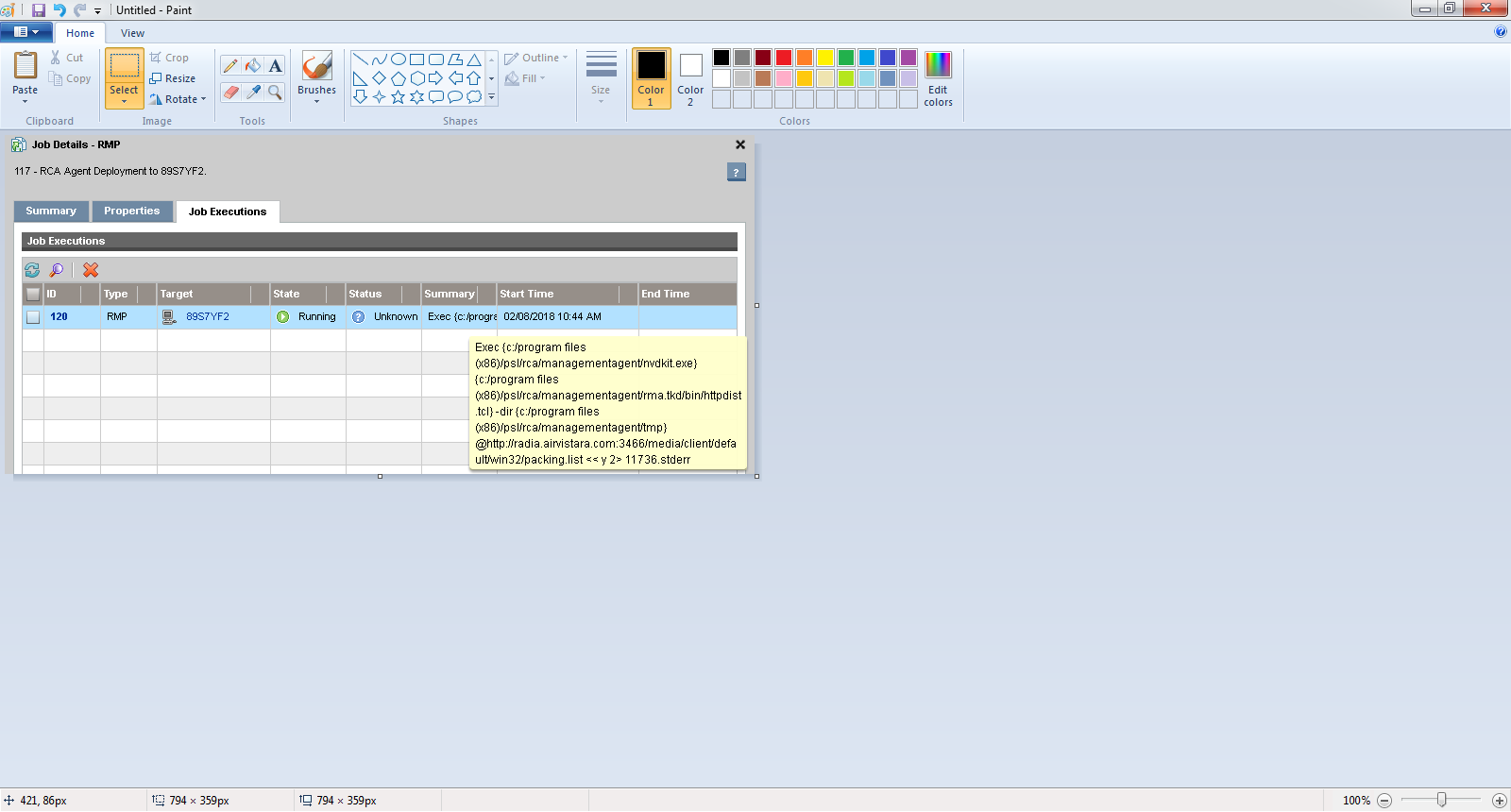
manually it getting deployed and also connecting.

Also its getting deployed to servers from Radia console.

4 commentaires
0

Vous devez vous connecter pour laisser un commentaire.


Previous 4 commentaires

Avatar
Gowhar Jan

This can happen for few reasons. Can you check if the desktop computers are able to resolve the DNS name of the Radia Core server - radia.airvistara.com?

When you manually install the Agent do you use Radia Server hostname or ip address and not the full DNS name?

Actions pour les commentaires Permalien
Avatar
Arne Halsteinslid

Hi!

The RMP log (C:\Program Files (x86)\PSL\RCA\ManagementPortal\logs\RCA-RMP-3471.log) will normally give you a clue as to why this is not working. Look for the string 'Client Install job'

Actions pour les commentaires Permalien
Avatar
Ishant Walia

@I'm using DNS with manual installation .


and "logs\RCA-RMP-3471.log" this folder is not creating there.

I'm only able to see rma log file. which is stops at execution state and end with the message of child ended unexpectedly. 


Actions pour les commentaires Permalien
Avatar
Arne Halsteinslid

The RMP log is on the Core server, and it should give you some leads at to what the problem is.

Also, if deploying to Win8.1 or Win10, the Remote Registry Windows Service on the client must be enabled and running, and, firewall must be off.

Actions pour les commentaires Permalien

Top Contributors